




Facebook Twitter Instagram
    Trending
    • Xiaomi 17 Ultra Leica Special Edition phone will adopt a dual brand, and in overseas markets, it will be named Leitzphone
    • Honor Play 60A mobile phone has appeared on the official website: equipped with the Dimensity 6300 processor at 1,599 yuan
    • The internal test activity of Background Stacking Arrangement style of Xiaomi’s HyperOS 3 has been Exposed
    • BlitzWolf BW-S32 130W 5-in-1 USB PD Digital Display Charger Review-Comprehensive Power for All Your Devices
    • BlitzWolf BW-S32 130W 5-in-1 USB PD Digital Display Charger Review-Comprehensive Power for All Your Devices
    • Ridstar Q20 Electric Bike Review-Power, Comfort & All-Terrain Capability
    • ABBREE AR-880 10W DMR Dual Time Slot Digital Walkie Talkie Review-A Powerful Two-Way Radio for Modern Communication
    • OXVA XLIM PRO 3 vs XLIM PRO 2 DNA: Quick Comparison Review
    Facebook YouTube
    Login Register
    IGeeKphone China Phone, Tablet PC, VR, RC Drone News, Reviews
    • HOME
      • NEWS
        • DeepSeek
        • ChatGPT
        • Minecraft
    • Amazon
    • CHRISTMAS
    • PHONE
      • Top Phones For Your First Choice
      • Phone Comparison
      • Xiaomi
      • Blackview
      • Unihertz
      • Doogee
      • Black Shark
      • Geekbuying
      • Banggood
      • TEMU
      • TikTok
      • Aliexpress
      • Walmart
      • Newegg
      • MercadoLibre
      • Lazada
    • TOP VAPE Awards for 2025
    • VAPES
      • E-CIGAR Upcoming
      • Vape News
      • Vape Market Trend
      • Vape Deals
      • Expo News
      • Vape Comparison
      • Vape Guide
        • Guide For Beginners
        • Guide for Best Users
      • Giveaway
    • BEST VAPE
      • Best Vape Stores
      • Best Starter Vape Kits
      • Best Vapes for Beginners
      • Best Disposable Vapes
      • Best Pod Systems
      • Best Pod Mod Vapes
      • Best Mods
      • Best Nicotine Pouches
      • Best Clearomizers/Tanks
      • Best E-Liquid
      • Best EGO/Pens
      • Best Vapes for Nic Salt E-Juice
      • Best Vapes to Quit Smoking
      • RDA vs. RDTA vs. RTA
    • Best Vape Brand 2025
      • VAPORESSO
      • VOOPOO
      • OXVA
      • NEXA BAR
      • ORIONBARTECH
      • MASKKING VAPE
      • VEIIK
      • MEMERS
      • SP2S
      • JNR
      • TODOO
      • MRFOG
    • REVIEW
      • E-cigar Review
      • Phones
      • Tablet PC
      • TV Box
      • RC Drone
      • Wearables
      • Camera
      • Accessories
      • VR Headset
    • MORE
      • 3D PRINTER
        • 3D Printer Review
        • Anycubic
        • FLSUN
        • Xtool
        • LONGER
        • Top 3D printer to Choose First
      • TREND
      • CLOTHES
      • AUTO CAR
      • POWER STATION
        • Oukitel
        • FOSSIBOT
      • GAMING
        • Top Gaming Products
      • E-BIKE
        • Samebike
        • Happyrun
        • ENGWE
      • TABLET
        • Chuwi
        • INNOCN
        • Teclast
        • Top Tablet for Your First Choice
        • Tablet/Laptop Comparison
      • WEARABLES
        • OneOdio
        • BlitzWolf
        • Top Smartwatch for First Choice
      • SMART HOME
      • TV BOX
        • Chuwi mini pc
        • Beelink
        • GMKTEC
        • MOREFINE
      • RC DRONE
        • DJI
        • MJX
        • JJRC
        • Hubsan
        • Top RC Drone
      • CAMERA
        • Gopro
        • Insta360
        • Andoer
      • ACCESSORIES
      • VR HEADSET
      • ROM
        • SAMSUNG
        • XIAOMI
        • ASUS
        • MEIZU
        • LENOVO
        • HUAWEI
        • ONEPLUS
        • ZTE
        • UMIDIGI
        • DOOGEE
        • HOMTOM
        • ELEPHONE
        • ULEFONE
        • BLACKVIEW
        • VERNEE
        • LEAGOO
        • CHUWI
        • TECLAST
        • PIPO
        • TV BOX ROM
    • DEAL
    • Shop
    IGeeKphone China Phone, Tablet PC, VR, RC Drone News, Reviews
    You are at:Home»Apple»Jailbreaking Made Easy: Palera1n’s Guide to Freedom on iOS 16.3.1
    Apple

    Jailbreaking Made Easy: Palera1n’s Guide to Freedom on iOS 16.3.1

    HabibBy HabibMarch 4, 2023
    Facebook Twitter Pinterest LinkedIn Tumblr Email

    These are instructions on jailbreaking your iPhone running iOS 15.0 – 16.3.1 using palera1n for Mac. The palera1n jailbreak is primarily intended for developers; however, most users can follow our steps to jailbreak with few difficulties. You can check jailbreak ios 16.3.1 here.

    Palera1n is (semi-)tethered checkm8 jailbreak that supports the following A8-A11 devices:
    ● iPhone SE
    ● iPhone 6 / iPhone 6 Plus
    ● iPhone 6s / iPhone 6 Plus
    ● iPhone 7 / iPhone 7 Plus
    ● iPhone 8 / iPhone 8 Plus
    ● iPhone X
    ● iPod touch 6
    ● iPod touch 7
    ● iPad mini 4
    ● iPad Air 2
    ● iPad 5
    ● iPad Pro 12.9-inch (2015)
    ● iPad Pro 9.7-inch (2016)
    ● iPad 6
    ● iPad 7
    ● iPad Pro 12.9-inch (2nd generation, 2017)
    ● iPad Pro 10.5-inch (2017)

    PALERA1N JAILBREAK

    Step 1
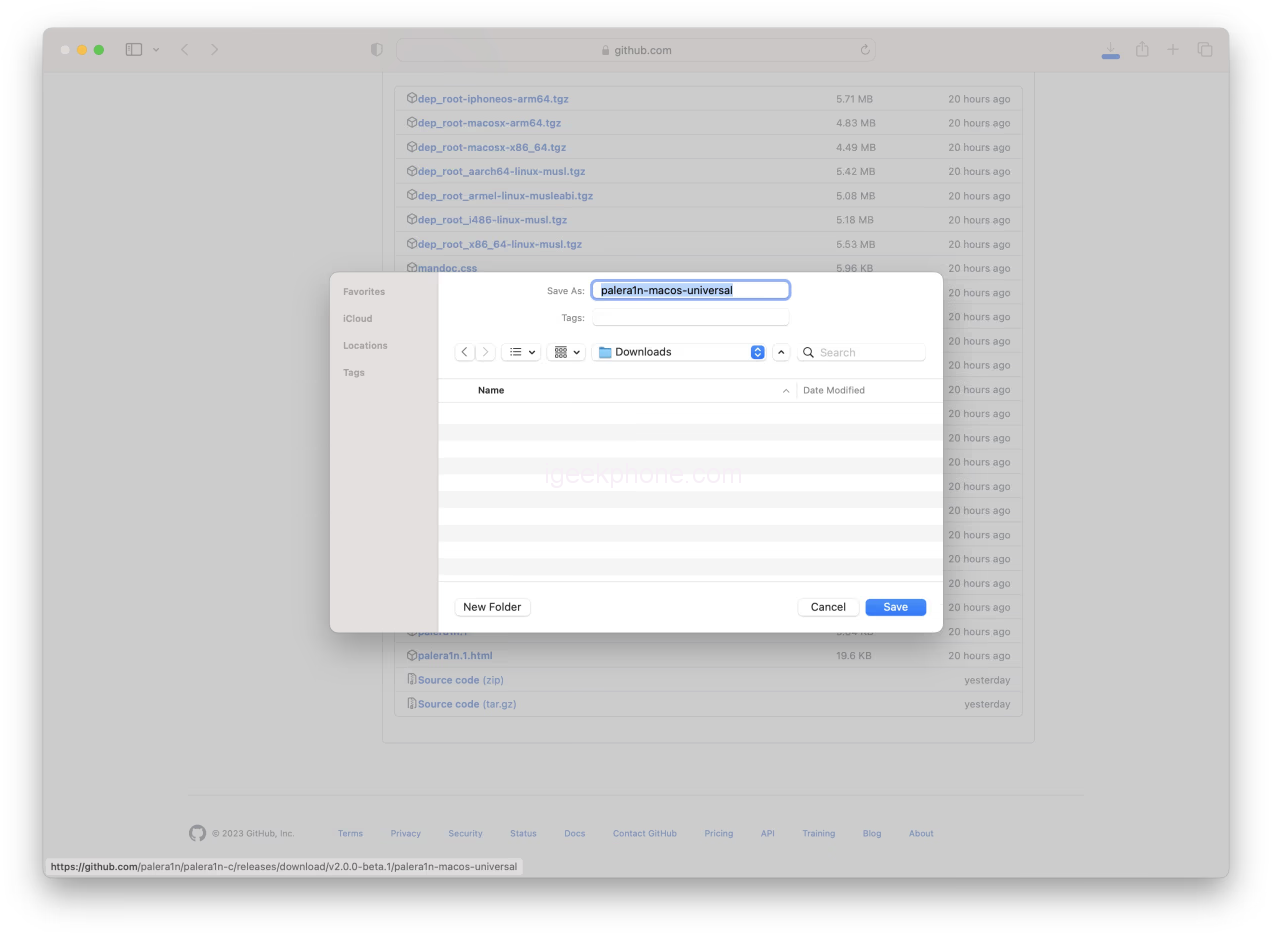
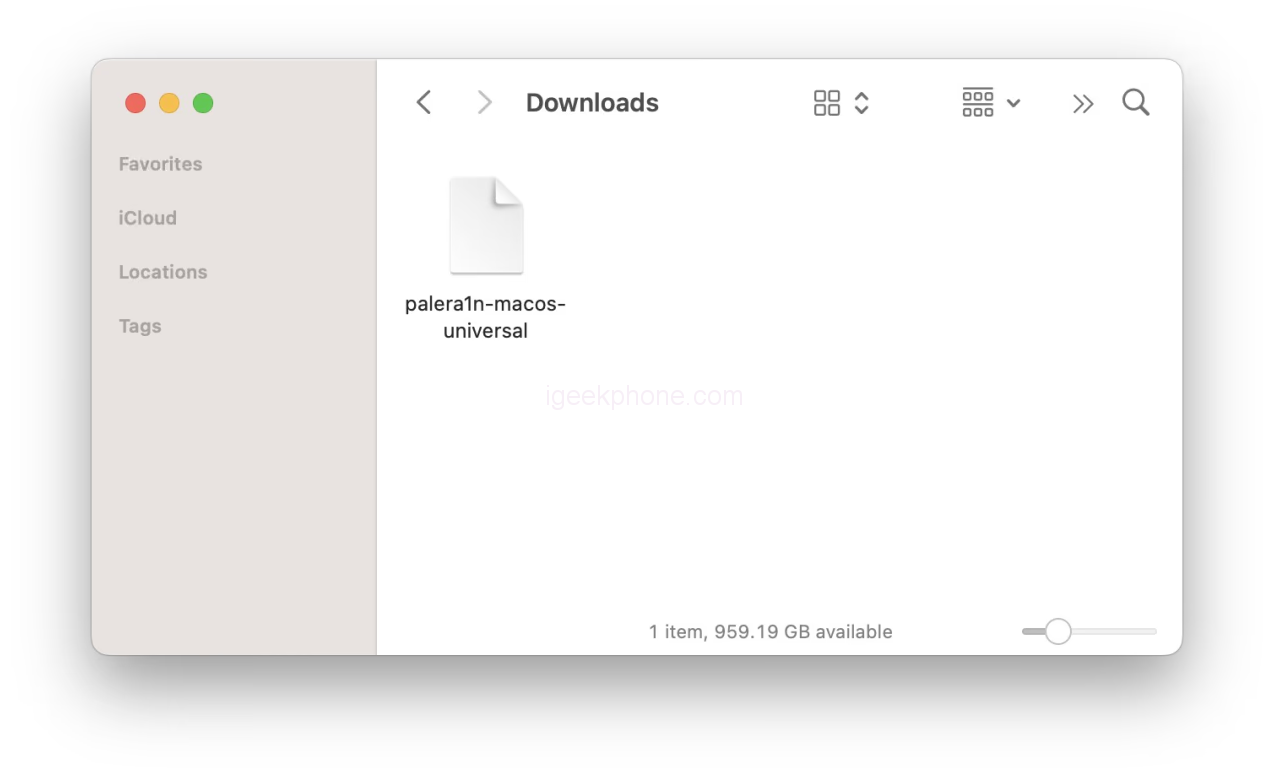
    • Download the universal palera1n binary from Github and save it to your Downloads folder.
    • palera1n-macos-universal

    You can find additional downloads for Linux here.

    Step 2

    • Open Terminal from your Applications > Utility folder

    Step 3
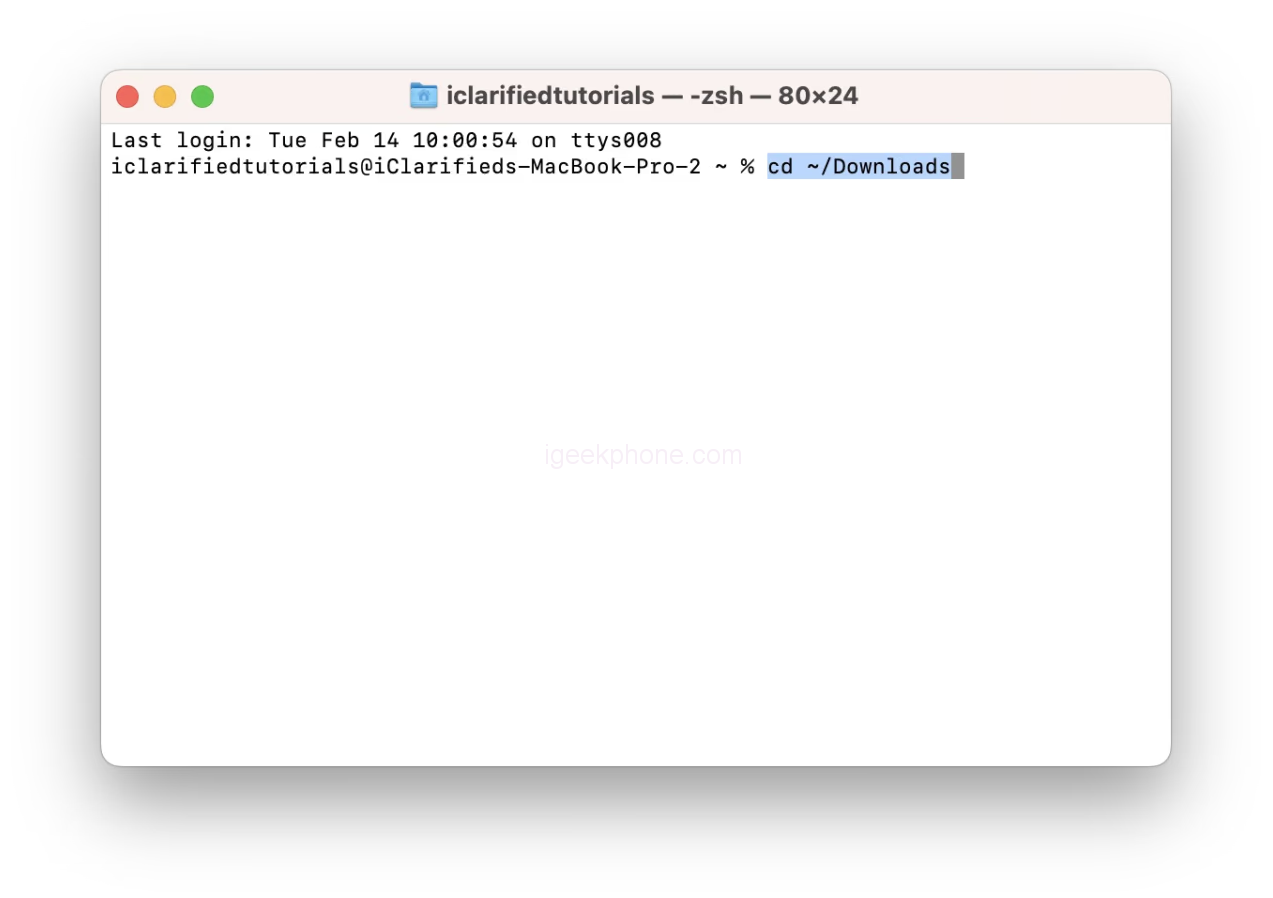
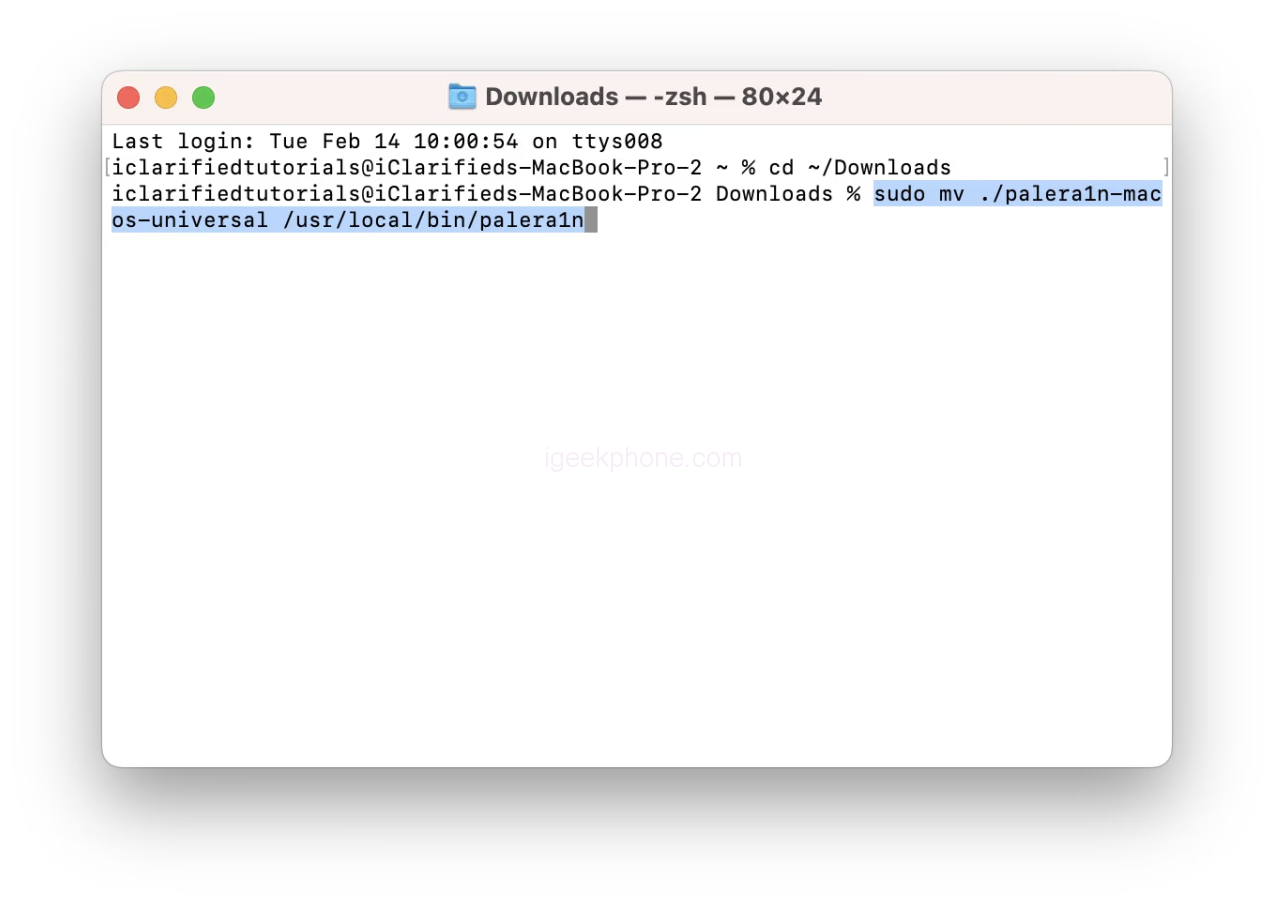
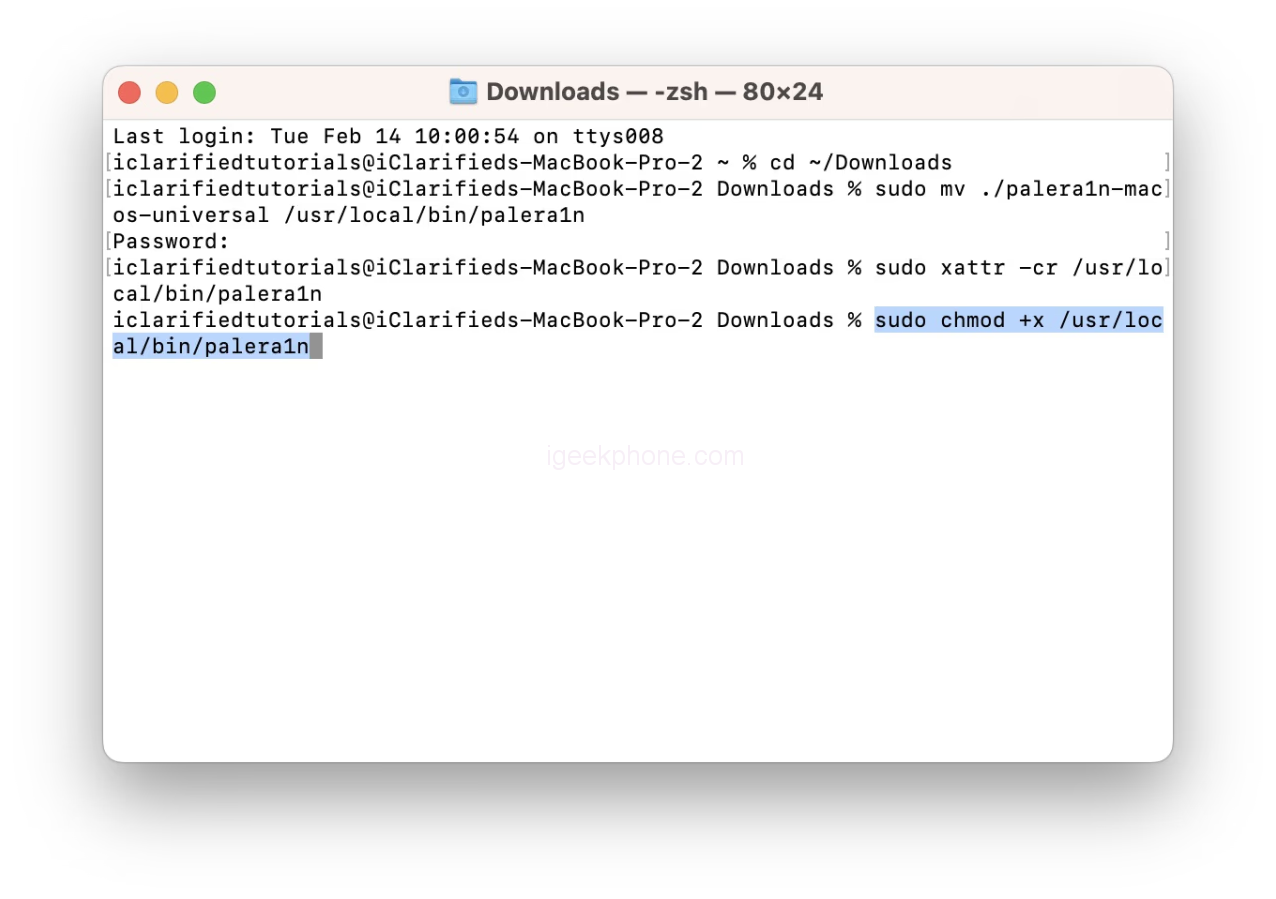
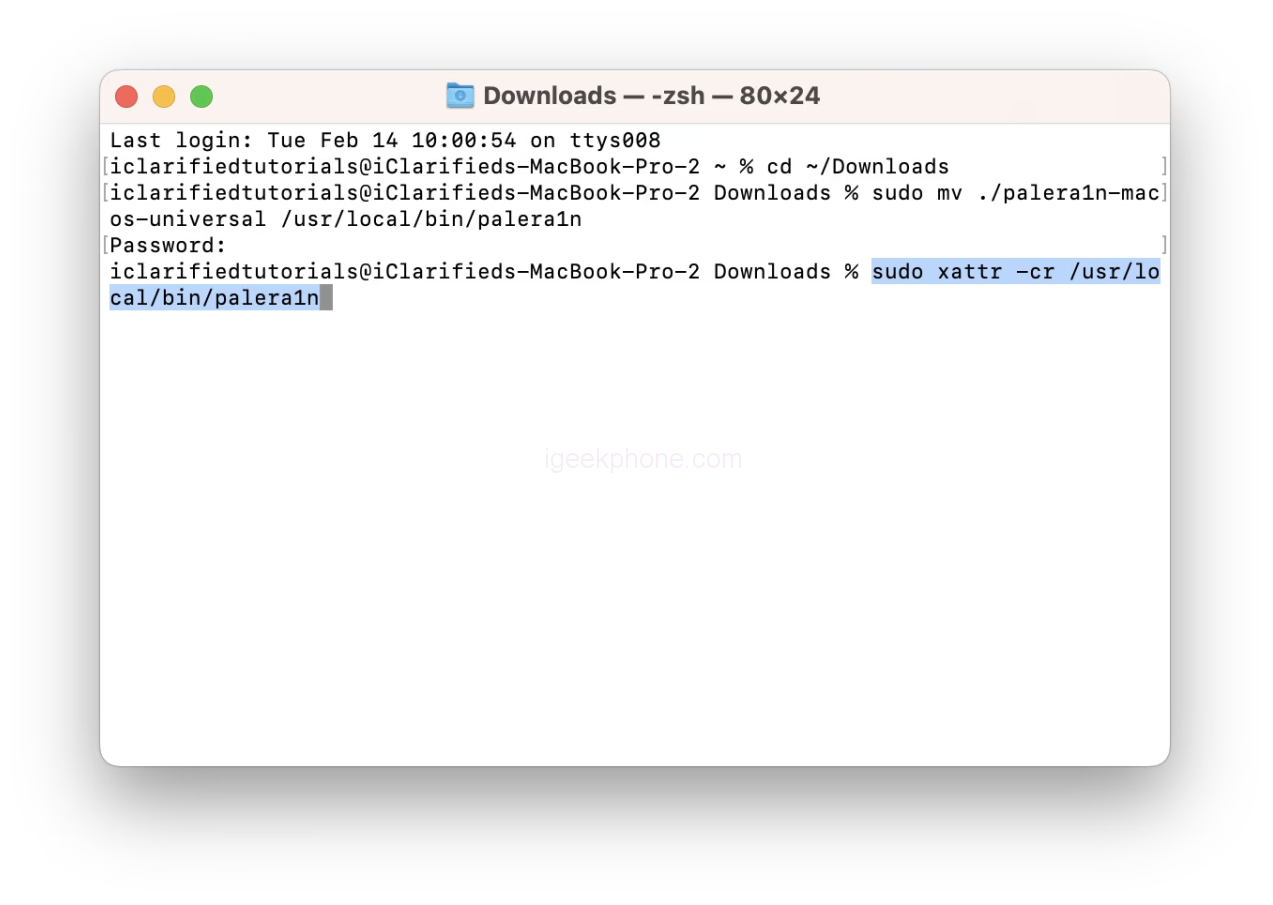
    • Execute the following commands in the Terminal window:
    • cd ~/Downloads
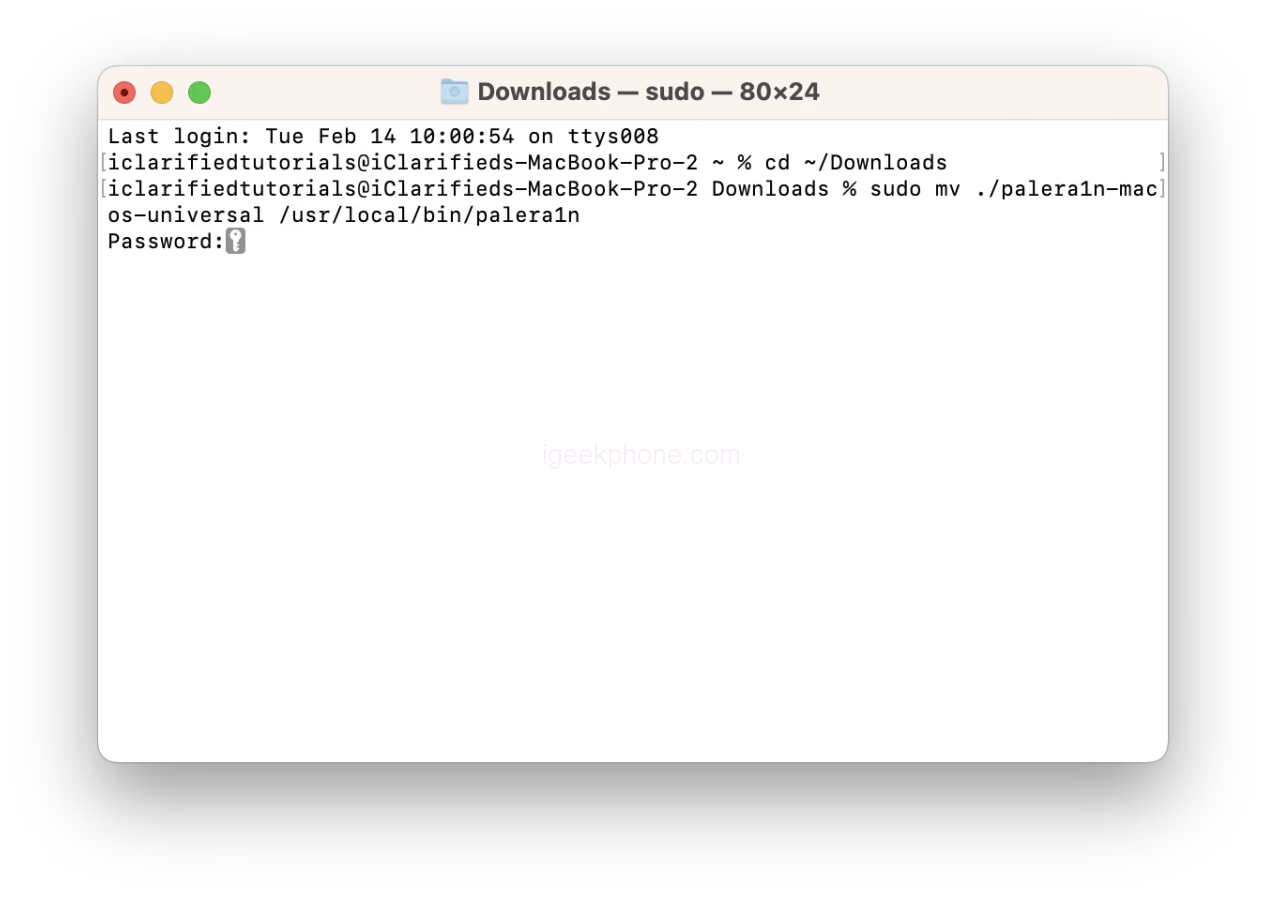
    • sudo mv ./palera1n-macos-universal /usr/local/bin/palera1n
    • Enter your administrator password if prompted.
    • sudo xattr -cr /usr/local/bin/palera1n
    • sudo chmod +x /usr/local/bin/palera1n

    Step 4

    • On A11 devices, you must disable your passcode and cannot use your passcode or related functionality like Face ID/Touch ID and Apple Pay until you boot into a stock state.

    Additionally, if you are on iOS 16 with an A11 processor and have ever set a passcode, you must erase all content and settings before jailbreaking. You can do this from Settings > General > Transfer or Reset iPhone > Erase All Content and Settings.

    MAKE SURE TO MAKE A BACKUP OF YOUR IPHONE BEFORE THESE STEPS.

    Step 5

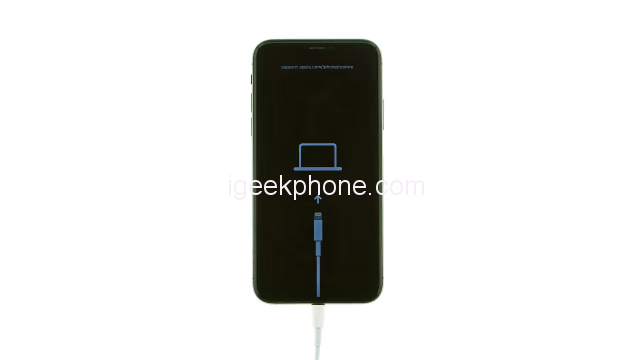
    Connect your iPhone to your computer. If using a USB-C to Lightning cable, you will likely need to use a USB-C to USB-A adapter and a USB-A to Lightning cable instead. This is because some USB-C to Lightning cables do not allow you to put your iPhone into DFU mode.

    ● Apple USB-C to USB-C Adapter
    ● Apple USB-A Lightning Cable

    Step 6

    Execute the following command in the Terminal window to create a new APFS volume required for roomful jailbreak. Note that this will require 5GB – 10GB of space, so we don’t advise trying it on a 16GB device.

    • palera1n -cf
    • Your device will be placed into Recovery Mode to prepare for entering DFU mode.
    • When ready to enter DFU mode, hit Return on your keyboard.
    • Following the prompts, hold down the Volume Down and Side buttons for about five seconds, then release the Side button and continue holding down the Down Volume button until DFU mode is detected.
    • If you have trouble timing, check out the more detailed instructions below.
    • ● How to Put Your iPhone Into DFU Mode

    Step 7

    Palera1n will detect your device in DFU and begin performing the exploit. Your device will then be reconnected in Download mode.

    You may receive the following error.

    Error: Timed out waiting for download mode (error code: -status_exploit_timeout_error)

    To resolve this, disconnect the cable from your iPhone and reconnect it. Palera1n will then continue. Alternatively, you could use a USB hub between your computer and iPhone to avoid the error.

    Step 8

    • After creating the fakes (5 minutes), your device will boot to IOS 16.
    • Return to the Terminal window and execute the following command to jailbreak in roomful mode.
    • palera1n -f
    • Your device will again be placed into Recovery Mode to prepare for entering DFU mode.
    • When ready to enter DFU mode, hit Return on your keyboard.

    Following the prompts, hold down the Volume Down and Side buttons for about five seconds, then release the Side button and continue holding down the Down Volume button until DFU mode is detected.

    Check out the more detailed instructions below if you still have trouble timing.

    ● How to Put Your iPhone Into DFU Mode

    Step 9

    After detecting your iPhone in DFU mode, palera1n will continue the exploit. Your device will be reconnected in Download mode once more.

    You may receive the following error.

    Error: Timed out waiting for download mode (error code: -status_exploit_timeout_error)

    To resolve this, disconnect the cable from your iPhone and reconnect it. Palera1n will then continue. Alternatively, you could use a USB hub between your computer and iPhone to avoid the error.

    Step 10

    Your iPhone will reboot into IOS 16. This time, a palera1n app will be added to the Springboard. Note: This may take 10-20 seconds.

    Tap to launch the palera1n app.

    Step 11

    Tap the Install button to jailbreak.

    Step 12

    Once complete, tap the Repair button to respring into a jailbroken state.

    Step 13
    Finally, you’ll have the Sileo package manager installed on your Springboard. Tap to launch Sileo and install tweaks on your jailbroken iPhone.

    Read Also: Spy on iPhone With Just the Number No Access to Target Phone

    Do not forget to follow us on our Facebook group and page to keep you always aware of the latest advances, News, Updates, review, and giveaway on smartphones, tablets, gadgets, and more from the technology world of the future.

    Source: iclarified

    Share. Facebook Twitter Pinterest LinkedIn Tumblr Email

    Related Posts

    Xiaomi 17 Ultra Leica Special Edition phone will adopt a dual brand, and in overseas markets, it will be named Leitzphone

    Honor Play 60A mobile phone has appeared on the official website: equipped with the Dimensity 6300 processor at 1,599 yuan

    The internal test activity of Background Stacking Arrangement style of Xiaomi’s HyperOS 3 has been Exposed

    Leave A Reply Cancel Reply

    You must be logged in to post a comment.

    voopoo drag s3
    oxva slim stick
    sp2s sen x disposable vape
    jnr 100k
    • Popular
    • 3D Printer REVIEW
    • XIAOMI
    December 9, 2025

    OXVA Xlim Go vs. OXVA Xlim Go 2: Hands-On Review

    December 9, 2025

    OXVA XLIM PRO 3 VS XLIM PRO 2 Review: Hands-on Comparison

    December 9, 2025

    OXVA XLIM 3 Ultra vs. XLIM Pro 2 DNA Review: Hands-on Comparison

    December 8, 2025

    OXVA XLIM SQ PRO 2 vs XLIM SQ PRO Hands on Comparison Review

    June 23, 2024

    ACMER P2 20W Laser Engraver Fixed Focus Engraving: Hands on Review

    May 30, 2024

    xTool F1 Ultra Review: World’s First 20W Fiber & 20W Diode Laser Engraver

    May 30, 2024

    Anycubic Kobra 3 Combo Review: The Multicolor Masterpiece?

    May 15, 2024

    SCULPFUN SF-A9 40W Laser Engraver Cutting Machine: Hands On Review

    December 17, 2025

    Xiaomi 17 Ultra Leica Special Edition phone will adopt a dual brand, and in overseas markets, it will be named Leitzphone

    December 17, 2025

    The internal test activity of Background Stacking Arrangement style of Xiaomi’s HyperOS 3 has been Exposed

    December 15, 2025

    Xiaomi 17 Ultra has not been officially announced yet. Mi fans are exclaiming that Xiaomi’s confidentiality measures are too strict

    December 15, 2025

    The Christmas watermark of Xiaomi’s Hyper OS 3 will start to be rolled out in a limited scale this middle of the week: 3 formats and 9 styles

    fc 26 coins
    New Arrivals
    • OXVA ARTIO 2 Battery Device 900mAh OXVA ARTIO 2 Battery Device 900mAh
    • Lost Vape Centaurus Ori 35 Pod System Kit Lost Vape Centaurus Ori 35 Pod System Kit
    • Oxbar Maglink 50K Disposable Vape Oxbar Maglink 50K Disposable Vape
    • Hellvape Vsee Now Pod System Kit Hellvape Vsee Now Pod System Kit
    • Hellvape Vsee One Pod System Kit Hellvape Vsee One Pod System Kit
    • JOOZY PRO 30K DISPOSABLE KIT JOOZY PRO 30K DISPOSABLE KIT
    • Vivo S50 smartphone Vivo S50 smartphone
    • Arc Hypertine 35K Zero Nicotine Disposable Vape Arc Hypertine 35K Zero Nicotine Disposable Vape
    • Oppo Reno 15c Oppo Reno 15c
    About
  • Igeekphone.com provides the first global tech news and reviews about smartphone, vapes, e-cigar, smart home, 3D printers, e-bike,tablets, RC drones, VR headset, and other accessories. It's the best platform to improve your brand and product.
  • Contact us: info@igeekphone.com
  • Check Our Privacy Policy Here.
  • Note: *Right now we have US editor and EU editors for review, especially for Amazon US and EU.
  • *Shop and Compare Price Here*
  • Facebook
  • Youtube
  • OUR BEST VAPE PARTNERS
  • VAPE ONLINE STORE
  • HAYATI PRO MAX PLUS
  • VAPORESSO
  • VOOPOO
  • OXVA
  • NEXA
  • MASKKING
  • LOSTVAPE ORIONBAR
  • VEIIK
  • MEMERS
  • TODOO
  • SP2S
  • JNR
  • OTHER BEST PARTNERS
  • SVBONY
  • Chuwi
  • Blackview
  • Fossibot
  • Unihertz
  • Flsun
  • Anycubic
  • Xtool
  • Oukitel
  • Mukkpet Ebike
  • Ugreen
  • Copyright © 2025 igeekphone

    Type above and press Enter to search. Press Esc to cancel.